
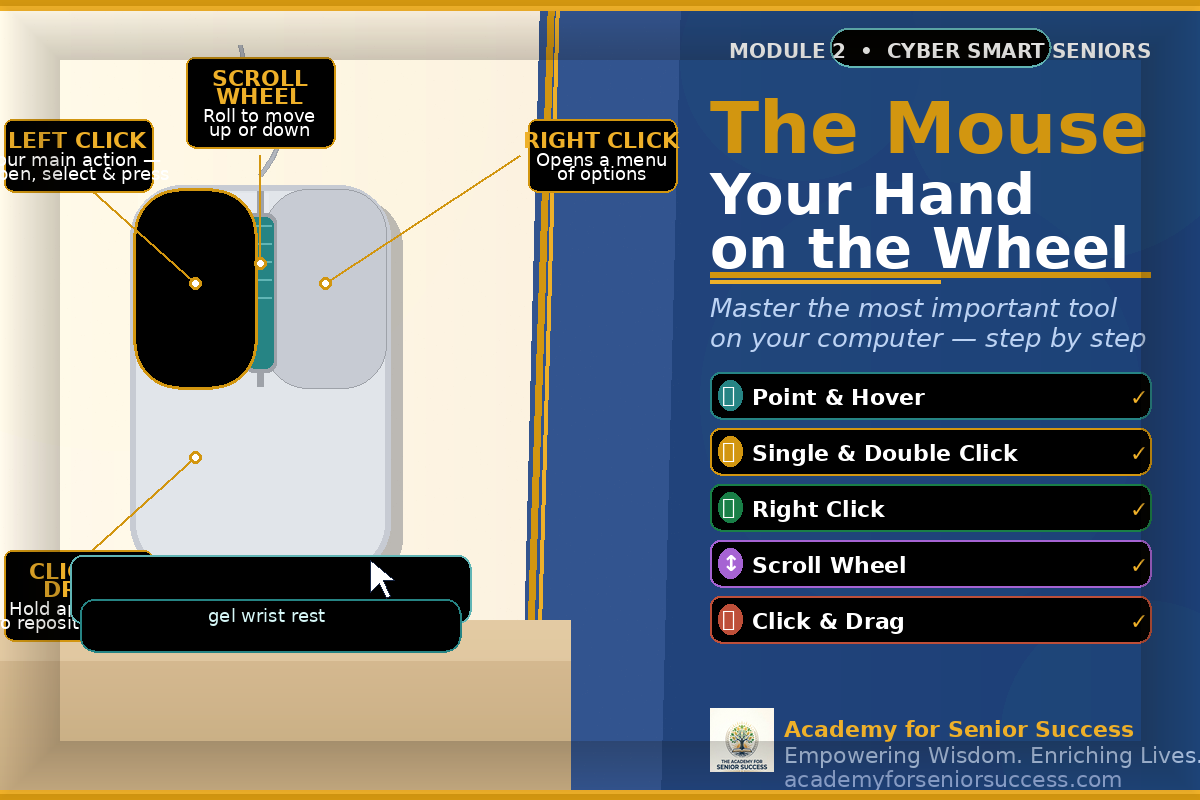
Module 1_Mouse Skills
The mouse is the tool that puts you in control of everything on your computer — and this module makes it feel completely natural. You will learn how to hold the mouse comfortably, move the pointer with confidence, and master the five essential actions: pointing, clicking, double-clicking, right-clicking, and click-and-drag. By the end of this module, the mouse will feel like a natural extension of your hand.
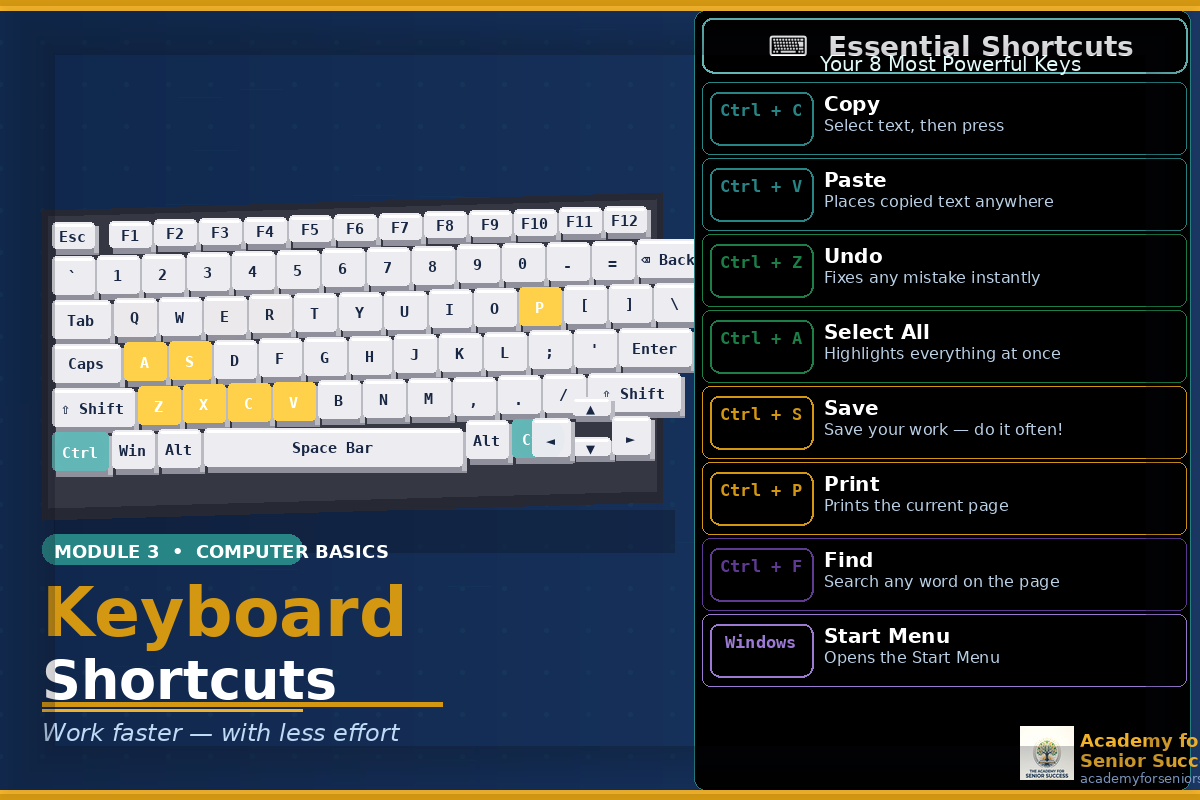
Module 2_Keyboard Shortcuts
Your keyboard is far more powerful than most people realise — and this module shows you exactly how to use it to your advantage. You will learn the keys you actually need every day, from the Space Bar and Backspace to the shortcuts that save time and prevent mistakes, including Ctrl+C to copy, Ctrl+V to paste, and Ctrl+Z to undo anything instantly. Once you know these shortcuts, you will wonder how you ever managed without them.
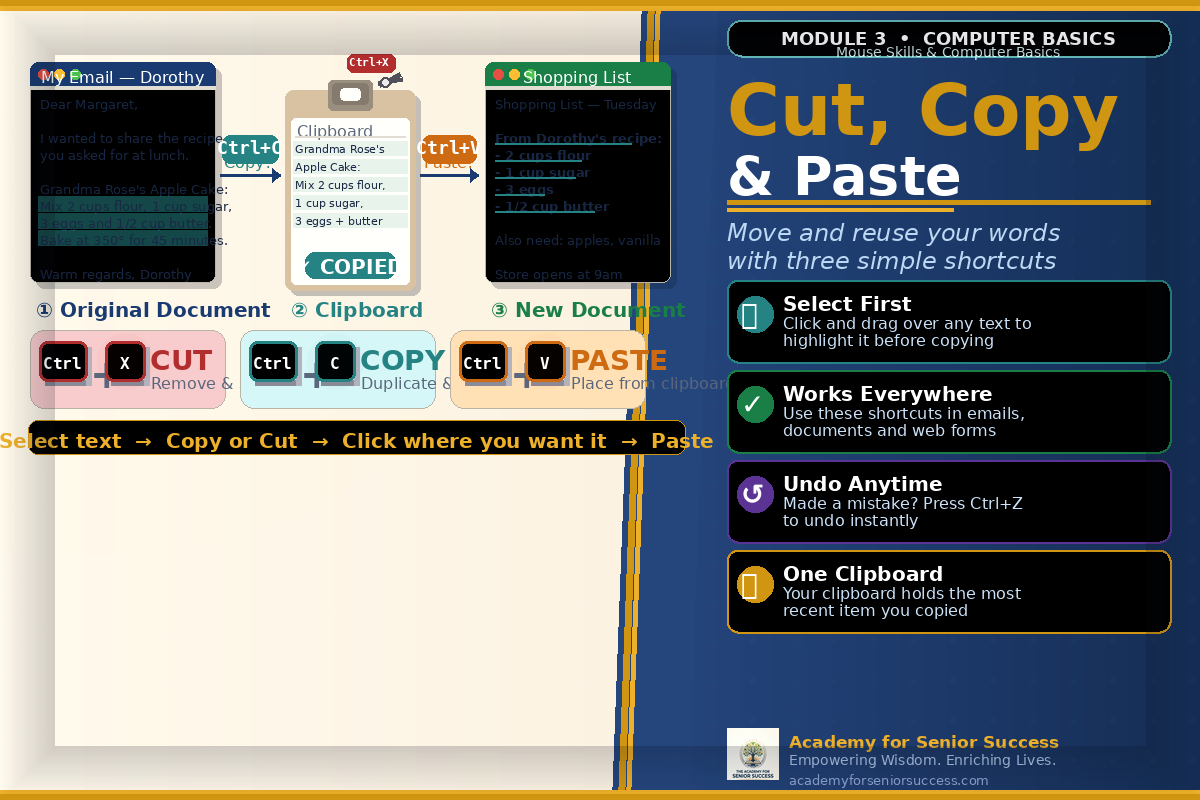
Module 3_Cut Copy and Paste
Cut, Copy, and Paste are three of the most useful skills on any computer — and once you learn them, you will use them every single day. This module walks you through how to select text or files, copy or cut them to your clipboard, and paste them exactly where you want them — in documents, emails, and folders. These three simple actions save time, reduce retyping, and give you complete control over your words and files. 🎓
About the course
Course Description: This beginner-friendly course helps learners build confidence using a computer. You will learn essential skills such as using the mouse, navigating the keyboard, copying and pasting information, browsing the internet, and organizing files. What You Will Learn: • How to use a computer mouse • Basic keyboard skills • How to cut, copy, and paste information • How to use browser tabs and search the internet • How to organize files using File Explorer Who This Course Is For: Adults who are new to computers, seniors learning digital skills, or anyone who wants to build confidence using technology.

Meet Your Mentor
Hello, I'm Shelly Bellamy, and I have been passionate about educating seniors about the digital landscape for several years now. With my experience in the field of technology, I understand the unique challenges older adults face online. My goal is to equip you with the skills and knowledge to stay safe and secure in the digital age.
Curriculum
-
-
Module 1_Mouse Skills Free preview
-
(Included in full purchase)
Module 2_Keyboard Shortcuts
-
(Included in full purchase)
Module 3_Cut Copy and Paste
-
(Included in full purchase)
Module 4_Drag and Drop
-
(Included in full purchase)
Module 5_Browser Tabs
-
(Included in full purchase)
Module 6_Internet Basics
-
(Included in full purchase)
Module 7_File Explorer
-
(Included in full purchase)
Module 8_Computer Confidence Practice
-
What people are saying
Real students. Real results. Real confidence. Our students come to the Academy for Senior Success from every background — some have never touched a computer before, others have tried and given up more than once. What they all share is the same experience on the other side: a genuine breakthrough that changed how they feel about technology and themselves.
"I had tried to learn the mouse twice before and given up both times. This module finally explained it in a way that made sense to me — holding it gently, moving slowly, and practicing one action at a time. By the end of the week I was clicking, dragging, and scrolling without even thinking about it."
Retired Nurse, Florida
"I used to retype things over and over because I didn't know how to copy and paste. Learning that one skill alone saved me so much frustration I almost cried. I copied my doctor's address from a website straight into a letter — just like that."
Retired Teacher's Aide, Georgia
"I had no idea those Ctrl shortcuts even existed. My daughter uses them all the time and I never understood what she was doing. Now I use Ctrl+C and Ctrl+Z every single day and I feel like I finally speak the same language as my computer."
Retired Electrician, Ohio
"I was starting from absolute zero — I had never owned a computer before. What I loved most was that nobody made me feel behind or slow. I finished all eight modules and I now use my computer every single morning. It has completely changed my daily life."
Retired Postal Worker, New Jersey
Start Your Journey with Confidence—No Experience Needed
If you’re new to computers, this is the perfect place to begin. Learn how to use your mouse, navigate your screen, and build essential skills step-by-step. 👉 Enroll Now and Start Learning Today